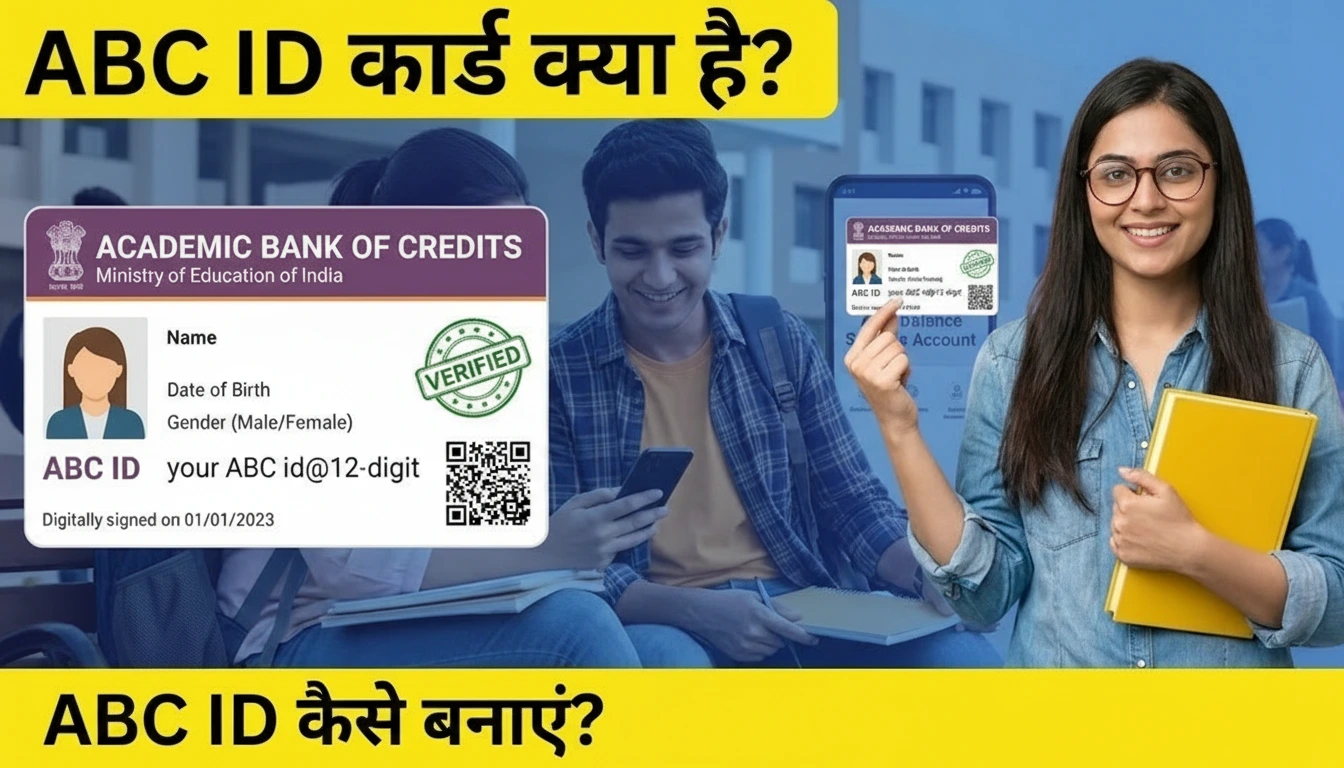
Student Tech Alert (January 21, 2026): If you are a college student in India, you have likely heard the term “ABC ID” or “APAAR ID” frequently this month. The University Grants Commission (UGC) and Ministry of Education have made the ABC ID (Academic Bank of Credits) mandatory for all students for the 2025-26 academic session.
Whether you are filling out your exam form, taking new admission, or applying for a scholarship, this 12-digit unique ID is now as important as your Roll Number. Without it, your university cannot store your marks (credits) digitally.
In this detailed guide, we will teach you how to create ABC ID on DigiLocker in 2 minutes, solve common errors like “Name Mismatch,” and understand the new One Nation, One Student ID system.
What is ABC ID and APAAR ID? (2026 Update)
Many students are confused: Is ABC ID different from APAAR ID?
The Answer: They are part of the same ecosystem. The APAAR ID (Automated Permanent Academic Account Registry) is your lifelong “Education ID” (like Aadhaar for students). The ABC ID is the “Bank Account” linked to it where your marks are stored.
- One ID for Life: From Class 1 to PhD, this ID tracks your entire academic journey.
- Seamless Transfer: If you switch colleges or take a break, your credits remain safe and transfer automatically.
- No More Paperwork: You no longer need to carry physical marksheets for verification during migration.
Prerequisites: Before You Start Registration
To generate your ABC ID card successfully, ensure you have these three things ready:
- Aadhaar Card Linked to Mobile: You will receive an OTP for verification. If your number is not linked, you cannot create the ID.
- DigiLocker Account: You must have the DigiLocker App installed (Android/iOS).
- College Details: You need your Roll Number, Registration Number, or Enrollment Number along with your Admission Year.
Step-by-Step Guide: How to Create ABC ID on DigiLocker
Follow these exact steps to generate your card instantly. Do not skip any step!
- Step 1: Open DigiLocker App
Download and open the DigiLocker app. Login using your Mobile Number and 6-digit Security PIN. - Step 2: Search for “ABC”
Click on the Search tab at the bottom right corner. Type “ABC ID” or “APAAR” in the search bar. - Step 3: Select the Document
You will see an option titled “APAAR/ABC ID Card – Academic Bank of Credits”. Click on it. - Step 4: Fill Academic Details
Your Name, Date of Birth, and Gender will be auto-fetched from Aadhaar. You need to manually select:
• Admission Year: (e.g., 2025 or 2026)
• Identity Type: Select “Roll Number” or “Registration Number”
• Identity Value: Type your Roll No. exactly as per college records.
• Select Institution: Search for your University or College Name. - Step 5: Get Document
Check the consent box and click on the “Get Document” button.
Success! Your blue-colored ABC ID Card is now generated.
How to Download & Print ABC ID Card PDF
Once you have created the ID, you need to submit the PDF to your college.
- Go to the “Issued” tab in the DigiLocker App.
- Scroll down to find “APAAR/ABC ID Card”.
- Click on the three vertical dots (⋮) next to it.
- Select “View PDF”.
- Click the Download Icon (Blue arrow) to save it to your phone.
Troubleshooting: Common Errors & Solutions
Are you facing issues while creating your ID? Here are the fixes for 2026.
Error 1: “Institution Name Not Showing”
Solution: Many autonomous colleges are not listed directly. Instead of searching for your college name, search for your Affiliated University Name. For example, if you are in “XYZ Law College,” search for “Mumbai University” or “Delhi University”.
Error 2: “Name Mismatch / Gender Mismatch”
Solution: DigiLocker fetches data from Aadhaar. If your name in College Records is “Rohan Kumar” but in Aadhaar it is “Rohan K.”, the system might reject it. You must Update your Aadhaar Card first to match your educational documents.
Error 3: “0 Credit Score Showing”
Solution: Don’t panic. The ABC ID initially shows 0 credits. Your university will manually upload your exam marks to this ID after the semester results are declared. It is not an error.
Frequently Asked Questions (FAQs)
Q1: Is ABC ID mandatory for Private Colleges?
Ans: Yes, as per NEP 2020, all Higher Education Institutions (Govt & Private) must implement the ABC system for the 2025-26 session.
Q2: Can I create an ABC ID without Aadhaar?
Ans: No. Aadhaar is the primary authenticator for the “One Nation One Student ID”. If you don’t have Aadhaar, you must apply for one immediately.
Q3: What to do if I entered the wrong Roll Number?
Ans: You cannot edit the ID. You must Delete the existing ABC ID from the “Issued Documents” section in DigiLocker and create a new one with the correct details.
Q4: Is APAAR ID and ABC ID the same?
Ans: Yes, for all practical purposes in 2026, they use the same 12-digit unique number. APAAR is the identity, ABC is the credit bank.
Direct Official Links