
I have spent the last decade typing countless queries into Google, mindlessly scrolling past sponsored ads just to find a single piece of useful information. For study tasks and tech research, the traditional search experience has become exhausting. So, I decided to run a massive head-to-head test. I pitted Google against Perplexity AI to see which platform actually gives faster, better answers without the clutter. If you are wondering whether it is finally time to switch your default search engine in 2026, I am sharing my raw, honest results right here.
We are living in an era where time is our most valuable asset. As a tech reviewer and editor here at Trendseai, I need accurate data, verified sources, and instant answers. Sifting through heavily padded, search-engine-optimized fluff articles is no longer an option when deadlines are tight. I need straight facts, and I suspect you do too.
Over the past four weeks, I completely replaced my daily Google habit with Perplexity AI. I used it to research complex software architecture, summarize dense academic PDFs, and even figure out the best budget microphone for podcasting. The differences in how these two platforms handle information retrieval are staggering. Let us break down exactly what happened during my testing.
The Core Difference: Search Engine vs. Answer Engine
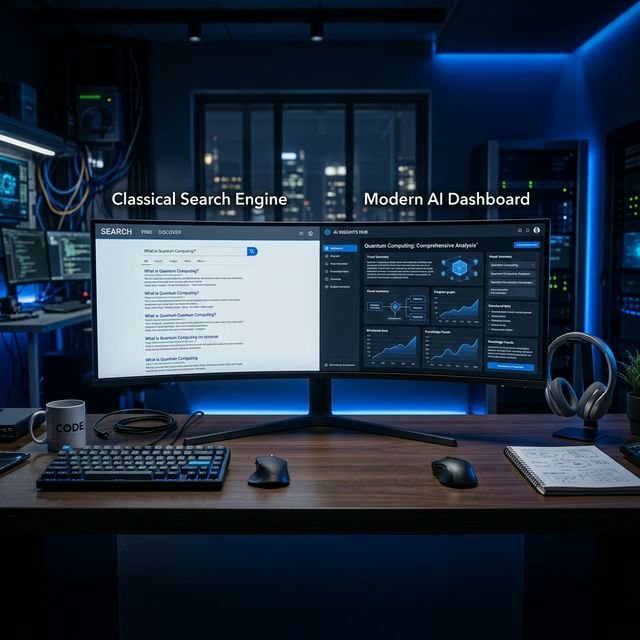
Before we look at the test results, we need to understand the fundamental difference between the two tools. Google is a directory. When you ask it a question, it points you toward websites that might have the answer. Yes, Google has recently integrated its own AI overviews, but its primary goal is still to get you to click on links—especially sponsored ones.
Perplexity AI calls itself an “answer engine.” Instead of handing you a list of blue links, it reads the top internet results in real-time, synthesizes the information, and writes a cohesive, highly readable answer with clickable footnote citations. But how do they actually compare in everyday use? Let us look at the baseline features.
| Feature | Google Search | Perplexity AI |
|---|---|---|
| Ad-Free Experience | No (Heavy ad presence) | Yes (Clean, ad-free UI) |
| Speed to Answer | Slower (Requires clicking links) | Instant direct summaries |
| Citations / Sources | Standard URL links | Inline academic-style footnotes |
| Best Used For | Navigating to specific websites | Deep research and studying |
The Ad-Free Experience: A Breath of Fresh Air
Let us talk about the elephant in the room: advertisements. When you search for a tech product or a study software on Google, the entire first half of your screen is often dominated by sponsored links. You have to scroll past three or four ads just to find the first organic, genuine result. It is incredibly distracting when you are trying to maintain focus during a study session.
Perplexity completely removes this friction. You ask a question, and you get an answer. There is no competing for your attention, no pop-ups, and no trying to sell you a VPN subscription before you even read the text. It genuinely feels like using the internet from fifteen years ago, but supercharged with modern artificial intelligence.
Speed and Direct Answers for Study Tasks
For my first major study test, I asked both engines a complex academic question: “Summarize the primary causes of the 2008 financial crisis and the resulting regulatory changes.”
Google gave me an AI snippet at the top, followed by links to Investopedia, Wikipedia, and a dozen financial news outlets. To get a complete picture, I had to click through three different websites, read the articles, and manually compile my notes. The whole process took about fifteen minutes.
Perplexity gave me a beautifully structured, five-paragraph summary in under three seconds. It actively broke down the housing bubble, the collapse of Lehman Brothers, and the implementation of the Dodd-Frank Act. More importantly, it provided suggested follow-up questions at the bottom of the page, allowing me to naturally expand my research without having to type a new query from scratch.
Citations and Sources: The Ultimate Research Test
As students and working professionals, we cannot just blindly trust AI-generated text. We need receipts. If you put a false claim in your university essay or client report, you are the one who takes the blame. This is exactly where Perplexity shines the brightest.
Every single factual claim it makes is backed by a small superscript number, exactly like an academic paper. If you click that number, it takes you directly to the source website where it pulled the information. At the top of your screen, there is a “Sources” tray showing the exact logos and links of the websites it referenced. Google’s AI overviews try to do this, but the user interface is far more clunky and less transparent.
The Head-to-Head Tech Research Challenge
Next, I wanted to push both tools to their limits with a highly specific tech research task. I needed to know the real-world performance of two newly released 2026 laptops, specifically focusing on video rendering times.
- The Query: “Compare the battery life and Premiere Pro rendering times of the M4 MacBook Pro vs the Dell XPS 16 based strictly on recent Reddit user reviews.”
- Google’s Response: Google brought up general, highly polished review articles from major tech publications. It completely struggled to filter specifically for Reddit user sentiment. I had to manually append “site:reddit.com” to my search and physically read through five different sprawling comment threads to find the data I needed.
- Perplexity’s Response: Perplexity instantly scraped recent Reddit discussions. It summarized the consensus that the MacBook had noticeably better battery life on battery power, while the Dell rendered 15% faster when plugged into the wall. It clearly linked directly to the specific subreddits it scraped, saving me easily thirty minutes of manual reading.
Pros and Cons of Making the Switch
Before you completely delete your Google bookmarks and change all your browser defaults, let us weigh the realities of using Perplexity as your daily driver. I always strive to give you the full picture.
- Pro – Zero Ads: You get to the information immediately without visual distractions or sponsored bias.
- Pro – Massive Time Savings: Direct answers and synthesis save hours of compiling notes for research projects and tech comparisons.
- Pro – Transparent Citations: It is incredibly easy to verify facts and avoid AI hallucinations because every sentence is linked to a source.
- Con – Navigational Weakness: Sometimes you just want a direct link to a website (like logging into your bank or finding a local restaurant menu). Google still handles simple navigational queries much better.
- Con – The Paywall: The free tier of Perplexity is fantastic and uses standard AI models, but the “Pro Search” feature—which performs deep, multi-step reasoning—requires a paid monthly subscription.
My Final Verdict
So, is it time to ditch Google search completely in 2026? Yes and no.
For quick navigational searches—like finding the login page for your university portal, checking the opening hours of a local cafe, or tracking a package—Google is still the undefeated champion. It is built for navigation.
However, for research, studying, tech comparisons, and learning complex topics, I have entirely switched my default workflow to Perplexity AI. It respects your time, provides beautifully clean answers, and eliminates the ad-heavy clutter that has ruined modern web browsing. The ability to ask a complex question and receive a well-researched, cited answer in three seconds is simply too powerful to ignore. If you want to save hours of reading and synthesizing every single week, Perplexity is the tool you need to be using right now.
Frequently Asked Questions
Is Perplexity AI completely free to use?
Yes, the core search functionality is completely free and allows you to make unlimited standard queries. They do offer a premium “Perplexity Pro” subscription, which unlocks access to advanced models like GPT-4 and Claude 3.5, as well as a feature that performs deeper, multi-step internet searches for highly complex questions.
Does Perplexity hallucinate or make up facts?
While all AI models have the potential to hallucinate, Perplexity drastically reduces this risk because it is grounded in real-time web search. It bases its answers strictly on the text it reads from live websites. Plus, because every sentence includes a citation, you can instantly check the source if a claim sounds suspicious.
Can I use Perplexity on my smartphone?
Absolutely. The