

I used to spend 3 hours every morning just sorting emails and summarizing meetings. I was burnt out, staring at my inbox like it was a monster about to eat me. Then I discovered these 5 free AI tools. Now, my morning routine takes 15 minutes. It’s not magic; it’s just knowing which robots to hire for the stuff you hate doing.
The Tool Stack: Comparison of Office Automators
| Tool | Primary Use | The Free Catch |
|---|---|---|
| Zapier | Automation Glue | Limited number of Zaps |
| Fireflies | Meeting Summary | Limited storage |
| Otter.ai | Live Transcripts | Monthly minute cap |
| ChatGPT | Email Drafting | Usage limits on GPT-5 |
| Gamma | Slide Presentations | Credit-based system |
1. Zapier: The Glue That Holds Your Life Together
Think of Zapier as the manager who never sleeps. You tell it: If this happens in App A, then do this in App B. For example, every time I save an attachment in Gmail, Zapier automatically moves it to my Finance folder in Google Drive. I don’t even have to look at it. It’s simple, it’s effective, and it removes that tiny bit of friction that adds up to hours over a month.

2. Fireflies & Otter: No More “Wait, What Did They Say?”
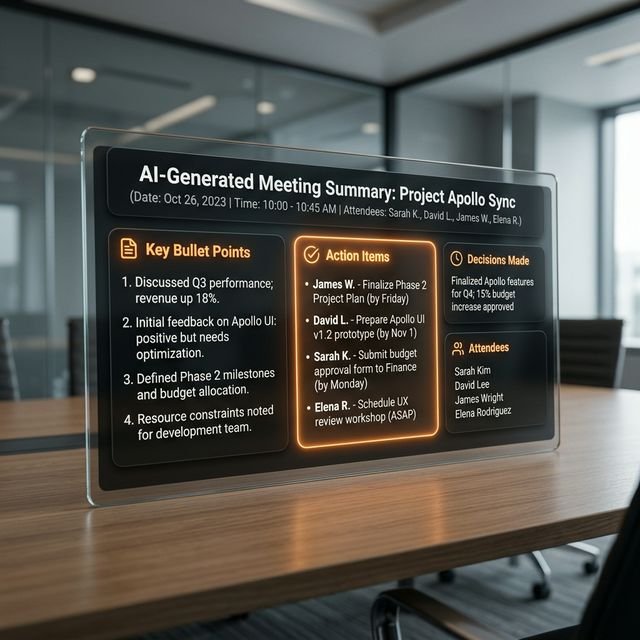
I stopped taking meeting notes six months ago. Fireflies just joins my Zoom calls, records everything, and sends me a 5-bullet summary when it’s done. If I need the exact transcript, Otter handles that in real-time. What I really loved was that I could actually listen during meetings instead of frantically typing. But here’s the catch: don’t completely trust the summary. AI can be a bit tone-deaf when it comes to sarcasm or subtle office politics.
Getting Started: A 5-Step Guide for Beginners
- Identify Your Pain Points: What task do you do every day that makes you want to throw your laptop out the window? Start there.
- Pick One Tool: Don’t try to set up all 5 at once. Start with ChatGPT for emails or Fireflies for meetings.
- Connect Your Accounts: Most of these tools only need a Sign in with Google to get going.
- Run a Test: Send yourself a fake email or run a 1-minute solo meeting to see how the automation handles the data.
- The Human-In-The-Loop: Set up an Approval Step where you have to click OK before the AI actually sends or publishes anything.
Human-Review: Why You Shouldn’t Let the AI Fly Solo
My biggest mistake? I let ChatGPT reply to a client email while I was at lunch. It was technically correct, but it sounded so robotic and cold that the client thought I was mad at them. Lessons learned. AI is a great first-drafter, but it’s a terrible closer. It doesn’t understand your personal brand or the specific relationship you have with a person. Always, always read before you hit send.

Final Verdict: Will AI Replace Us in 2026?
If you ask me, it won’t replace your job, but it will definitely replace the boring parts of your job. The people who are going to win in the 2026 economy are the ones who treat AI as their personal intern. If you spend your day doing things a free tool can do, you’re competing with a robot—and you’re going to lose. But if you use these tools to clear the deck so you can do the creative, high-value work, you’re the one leading the pack. It’s time to work smarter, not harder.

Frequently Asked Questions (FAQs)
Are these tools actually free?
Yes, but they all have Freemium models. They give you enough for individual use, but once you start scaling to a whole team, they’ll want their cut. For 90% of office workers, the free tiers are more than enough.
Is my office data secure?
Most of these tools use SOC2 compliant security. However, avoid putting extremely sensitive company secret data into a public LLM. Check your company’s AI policy before you go wild with automation.
Do I need to know how to code to use Zapier?
Nope. It’s all visual. If you can use a smartphone, you can use Zapier. It’s like playing with digital Legos.